
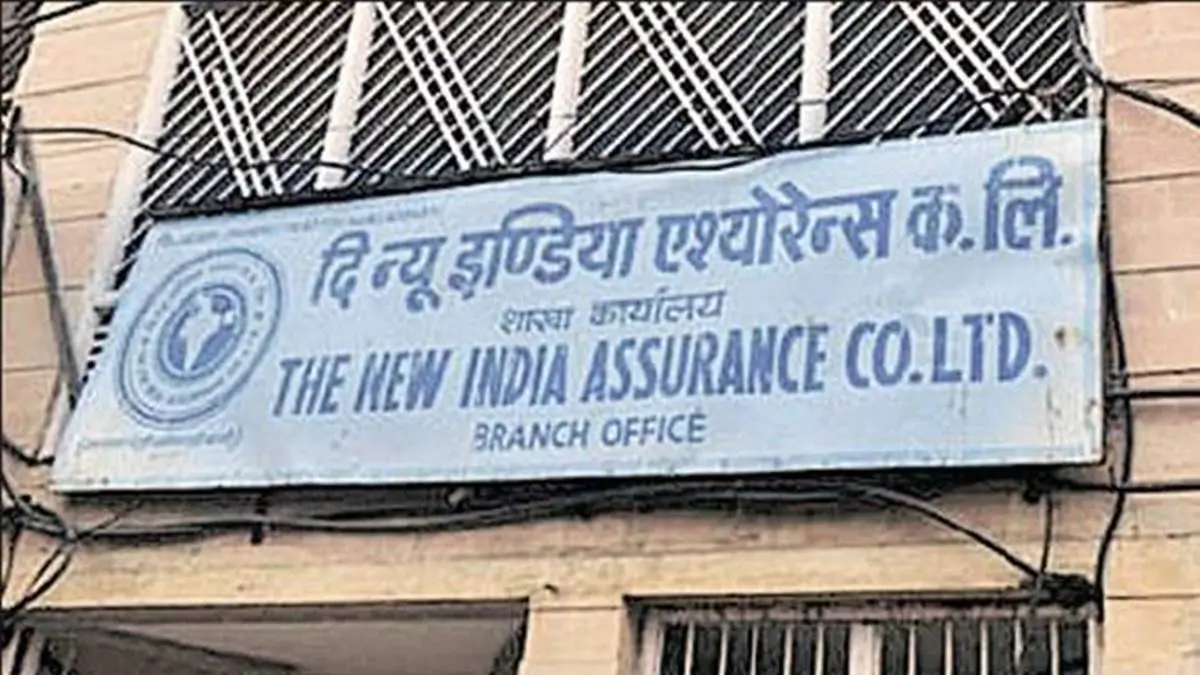
The NIACL Apprentice Exam Date 2026 has been officially announced, bringing clarity for candidates preparing to appear in the online examination. The exam is scheduled to be conducted on 12 July 2026 for the recruitment of 550 Apprentice vacancies. Candidates should now focus on their final revision and check the official exam schedule, including shift timings, reporting time, and other important instructions to ensure a smooth examination experience.
NIACL Apprentice Exam Date 2026 Out
The NIACL Apprentice Exam 2026 is scheduled to be held on 12 July 2026, and candidates who have successfully submitted their applications should now focus on preparing for the exam. As the exam nears, it’s important to be aware of the official exam schedule, reporting times, shift details, and exam-day guidelines. Staying updated on these details will help candidates avoid confusion and prepare for the exam without any hassle.
NIACL Apprentice 2026 Overview
The NIACL Apprentice overview provides key details about the recruitment, including vacancies, eligibility criteria, application dates, stipend, and training period.
| Particulars | Details |
| Organization | The New India Assurance Company Limited (NIACL) |
| Post | Apprentice |
| Total Vacancies | 550 |
| Application Mode | Online |
| Educational Qualification | Graduate |
| Age Limit | 21 to 30 years |
| Stipend | ₹12,300 per month |
| Training Duration | 1 Year |
| Official website | www.newindia.co.in |
NIACL Apprentice 2026 Notification PDF
NIACL has officially released the detailed notification for the 2026 apprentice for 550 posts. This detailed advertisement provides information on all aspects of the recruitment process, enabling candidates to verify their eligibility and submit their applications within the stipulated timeframe. Below, the notification PDF has been linked.
Are You Preparing for NIACL Apprentice Exam 2026?
Important Dates
| Important Event | Date |
| Notification Released | 23 June 2026 |
| Online Registration Starts | 23 June 2026 |
| Online Registration Ends | 6 July 2026 |
| Online Examination Date | 12 July 2026 |
| Cut-off Date for Eligibility Criteria | 01 June 2026 |
NIACL Apprentice Vacancy 2026
The New India Assurance Company Limited (NIACL) has announced a total of 550 Apprentice vacancies. The vacancies are distributed across various States and Union Territories. Candidates can check the detailed state-wise vacancy distribution in the official notification before applying.
| State / Union Territory | SC | ST | OBC | EWS | GEN | Total |
| Andaman & Nicobar | 0 | 0 | 0 | 0 | 1 | 1 |
| Andhra Pradesh | 2 | 1 | 4 | 1 | 9 | 17 |
| Arunachal Pradesh | 0 | 0 | 0 | 0 | 1 | 1 |
| Assam | 0 | 1 | 2 | 1 | 6 | 10 |
| Bihar | 1 | 0 | 2 | 1 | 7 | 11 |
| Chandigarh | 4 | 0 | 6 | 2 | 12 | 24 |
| Chhattisgarh | 0 | 2 | 0 | 0 | 6 | 8 |
| Dadra & Nagar Haveli | 0 | 0 | 0 | 0 | 1 | 1 |
| Delhi | 5 | 2 | 8 | 3 | 19 | 37 |
| Goa | 0 | 0 | 0 | 0 | 1 | 1 |
| Gujarat | 2 | 4 | 8 | 3 | 18 | 35 |
| Haryana | 0 | 0 | 1 | 0 | 5 | 6 |
| Himachal Pradesh | 0 | 0 | 0 | 0 | 1 | 1 |
| Jammu & Kashmir | 0 | 0 | 0 | 0 | 1 | 1 |
| Jharkhand | 0 | 1 | 0 | 0 | 4 | 5 |
| Karnataka | 3 | 1 | 6 | 2 | 12 | 24 |
| Kerala | 3 | 0 | 8 | 3 | 16 | 30 |
| Leh | 0 | 0 | 0 | 0 | 1 | 1 |
| Lakshadweep | 0 | 0 | 0 | 0 | 1 | 1 |
| Madhya Pradesh | 2 | 3 | 3 | 2 | 10 | 20 |
| Maharashtra | 13 | 11 | 32 | 13 | 69 | 138 |
| Manipur | 0 | 0 | 0 | 0 | 1 | 1 |
| Meghalaya | 0 | 0 | 0 | 0 | 1 | 1 |
| Mizoram | 0 | 0 | 0 | 0 | 1 | 1 |
| Nagaland | 0 | 0 | 0 | 0 | 1 | 1 |
| Odisha | 1 | 2 | 1 | 1 | 7 | 12 |
| Puducherry | 0 | 0 | 0 | 0 | 1 | 1 |
| Punjab | 4 | 0 | 3 | 1 | 8 | 16 |
| Rajasthan | 3 | 2 | 4 | 1 | 10 | 20 |
| Sikkim | 0 | 0 | 0 | 0 | 1 | 1 |
| Tamil Nadu | 8 | 0 | 11 | 4 | 23 | 46 |
| Telangana | 2 | 1 | 5 | 1 | 9 | 18 |
| Tripura | 0 | 0 | 0 | 0 | 1 | 1 |
| Uttar Pradesh | 5 | 0 | 5 | 2 | 12 | 24 |
| Uttarakhand | 2 | 0 | 1 | 1 | 10 | 14 |
| West Bengal | 4 | 1 | 4 | 1 | 10 | 20 |
| TOTAL | 64 | 32 | 114 | 43 | 297 | 550 |
NIACL Apprentice 2026 Eligibility Criteria
Candidates must fulfill the following eligibility conditions:
Educational Qualification
- Candidates must have a Graduation Degree in any discipline from a recognized university.
- The graduation result/pass certificate should be dated between 01 January 2022 and 01 June 2026 (both dates inclusive).
- Candidates who graduated before 01 January 2022 or after 01 June 2026 are not eligible.
- Candidates with CGPA/OGPA must convert it into percentage while filling out the application form.
Age Limit (As on 01 June 2026)
- Minimum Age: 21 years
- Maximum Age: 30 years
- Candidates should be born between 02 June 1996 and 01 June 2005 (both dates inclusive).
Age Relaxation
| Category | Relaxation |
| SC/ST | 5 Years |
| OBC (Non-Creamy Layer) | 3 Years |
| PwBD | 10 Years |
| Widows/Divorced Women/Legally Separated Women (Unremarried) | Up to 35 Years (Gen/EWS), 38 Years (OBC), 40 Years (SC/ST) |
Language Proficiency
Candidates must have knowledge of the regional language of the State/UT for which they are applying.
Other Eligibility Conditions
- Must be an Indian citizen.
- Candidates should be freshers and must not have undergone apprenticeship training earlier.
- Candidates with one year or more of work experience after graduation are not eligible.
- Ex-servicemen and Disabled Ex-servicemen are not eligible for engagement under this apprenticeship program.
NIACL Apprentice Apply Online 2026
Now that the online application process has concluded, candidates who have successfully registered should now focus on their exam preparations. It’s best to review the official exam schedule, shift timings, reporting times, and exam-day instructions in advance. Candidates should also have their admit card and a valid photo ID ready for easy entry to the exam center.
NIACL Apprentice Application Process 2026
Candidates must complete the application process in the following two steps:
Step 1: Register on NATS Portal
- Visit the NATS portal and complete your registration.
- Ensure your profile is 100% completed.
- Search for “The New India Assurance Company Limited” under available apprenticeship opportunities.
- Click on Apply to proceed.
Step 2: Complete Online Application
- Visit the BFSI SSC examination portal.
- Log in using your credentials and enter your NATS Enrollment Number.
- Fill in personal, educational, and communication details.
- Select your preferred state for apprenticeship training.
- Upload the required documents and pay the application fee.
- Review the application form and submit it successfully before the deadline.
Documents Required for NIACL Apprentice Application Form 2026
Before filling out the NIACL Apprentice Application Form 2026, candidates should keep all necessary documents ready to ensure a smooth registration process. The details and documents uploaded during the application process must match the information mentioned in the official records.
The following documents may be required while applying online:
- Recent passport-size photograph in the prescribed format.
- Scanned signature of the candidate.
- Graduation mark sheets and degree certificate.
- Valid photo identity proof such as Aadhaar Card, PAN Card, Voter ID, Driving Licence, or Passport.
- Proof of date of birth (Class 10th certificate or Birth Certificate).
- Caste certificate for SC/ST/OBC candidates, if applicable.
- EWS certificate for candidates applying under the EWS category.
- Disability certificate for PwBD candidates, if applicable.
- Domicile or residence certificate, if required.
- Active mobile number and valid email ID for registration and future communication.
Required Certificates and Document Formats
The NIACL Apprentice Notification 2026 includes prescribed certificate formats that candidates must produce during document verification, wherever applicable. These include:
- SC/ST Certificate – Valid caste certificate issued by the competent authority.
- OBC Certificate – Valid Non-Creamy Layer certificate. OBC candidates in the Creamy Layer will be treated as General category candidates.
- PwBD Certificate – Disability certificate showing at least 40% benchmark disability.
- EWS Certificate – Income and Asset Certificate issued after 31 March 2026, as per the prescribed guidelines.
NIACL Apprentice Application Fee 2026
Candidates are required to pay the prescribed application fee while submitting the online application form. The category-wise application fee is given below:
| Category | Application Fee | GST (18%) | Total Fee Payable |
| General / OBC | ₹800 | ₹144 | ₹944 |
| SC / ST / All Female Candidates | ₹600 | ₹108 | ₹708 |
| PwBD (Persons with Benchmark Disabilities) | ₹400 | ₹72 | ₹472 |

NIACL Apprentice Selection Process
The NIACL Apprentice Selection Process 2026 consists of an Online Written Test followed by a Regional Language Test. Candidates who qualify both stages will be called for document verification. Final selection will be based on the candidate’s performance and successful verification of eligibility documents.
NIACL Apprentice Exam Pattern 2026
- Question Type: Objective (Multiple Choice Questions)
- Medium of Exam: English and Hindi (except English Language section)
- Total Duration: 60 Minute
| Section | No. of Questions | Maximum Marks |
| Financial & General Awareness | 25 | 25 |
| English Language | 25 | 25 |
| Numerical Ability & Logical Reasoning | 25 | 25 |
| Computer Fundamentals | 25 | 25 |
| Total | 100 | 100 |
NIACL Apprentice Syllabus 2026
The NIACL Apprentice Syllabus 2026 covers four major subjects: Financial & General Awareness, English Language, Numerical Ability & Logical Reasoning, and Computer Fundamentals. Candidates should focus on the key topics listed below while preparing for the online examination.
| Section | Important Topics |
| Financial & General Awareness | Current Affairs, Banking & Insurance Awareness, Indian Economy, Government Schemes, Static GK |
| English Language | Reading Comprehension, Cloze Test, Error Detection, Fill in the Blanks, Vocabulary |
| Numerical Ability & Logical Reasoning | Simplification, Number Series, Data Interpretation, Puzzles, Seating Arrangement, Coding-Decoding |
| Computer Fundamentals | Computer Basics, MS Office, Internet, Networking, Operating Systems, Cyber Security |
NIACL Apprentice Training Period 2026
One-Year Apprenticeship Training: Selected candidates will undergo apprenticeship training for a period of one year, gaining practical exposure and hands-on experience in various aspects of the insurance sector.
NIACL Apprentice Stipend 2026
Selected apprentices will receive a monthly stipend of ₹12,300 during the one-year training period. No additional allowances or benefits will be provided.
Is NIACL Apprentice a Permanent Job?
The apprenticeship is a training program under the Apprentices Act, 1961. Selected candidates will receive a monthly stipend of ₹12,300 for one year. Apprentices will not be treated as permanent employees of NIACL and will not be entitled to regular employee benefits during the training period.
NIACL Apprentice Job Profile 2026
During the apprenticeship period, candidates will gain exposure to:
- Insurance policy servicing
- Customer support activities
- Claim processing procedures
- Office administration
- Documentation and record management
- Digital insurance operations
- Branch-level operational activities
Why Join NIACL Apprentice?
- Opportunity to work with a leading public sector insurance company.
- Practical exposure to insurance operations.
- Skill development and professional training.
- Valuable experience for future banking and insurance exams.
- Industry-recognized apprenticeship certificate.







 NICL Assistant Mains Exam Date 2026 Out ...
 LIC HFL Apprentice Recruitment 2026 Out ...
 NICL AO Notification 2026 Out for 321 Ad...